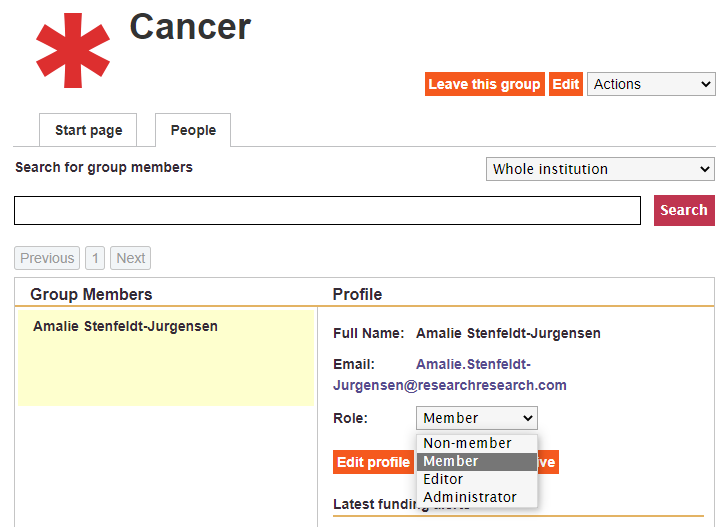
As an *RP administrator you can grant other users admin rights. To do so you need to: 
- Go to Our Institution
- Select the workgroup you want to assign an administrator to
- Open the People tab
- Select Whole institution from the dropdown menu
- In the search field type in the name or email address of the user you want grant admin rights
- In the profile section change their role to Administrator